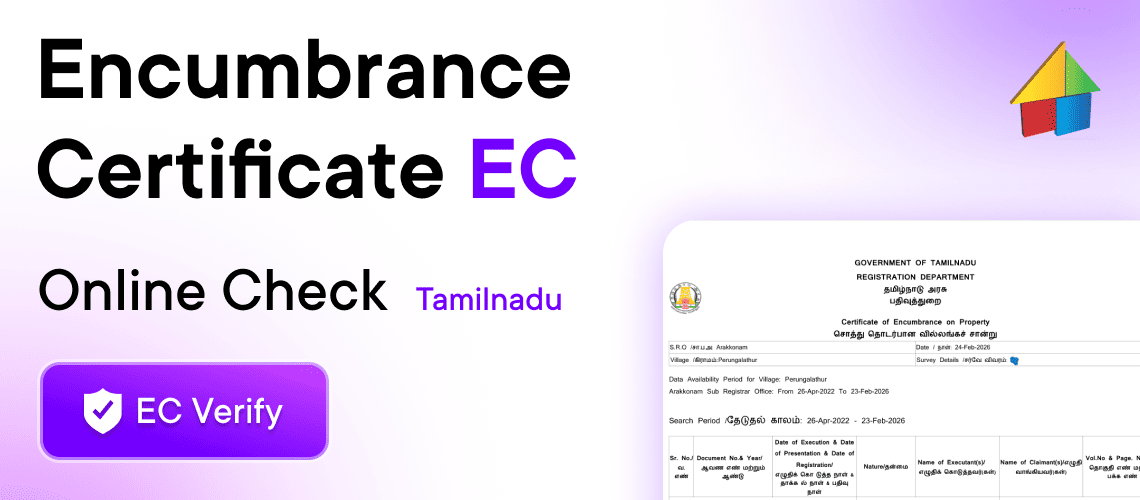
- Published - 24 - February - 2026
(EC) Encumbrance Certificate Online Check Tamil Nadu
What is an Encumbrance Certificate (EC)?
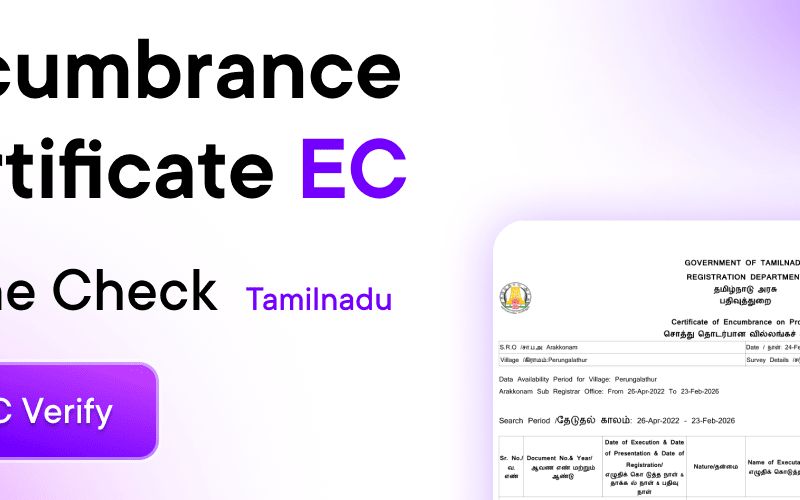
An Encumbrance Certificate (EC) is an official document issued by the Registration Department that shows all registered transactions related to a property for a specific period.
It includes:
Sale deeds
Gift deeds
Settlement deeds
Mortgage records
Release deeds
Court attachments (if any)
If no transaction is found, the system issues a Nil Encumbrance Certificate, meaning the property has no registered liabilities for the selected period.
Why is EC Important?
Checking EC before buying property helps you:
✔ Confirm legal ownership
✔ Ensure no pending home loan or mortgage
✔ Verify clear property title
✔ Avoid legal disputes
✔ Secure bank loan approval
Banks and financial institutions always require EC before approving home loans.
How to Check Encumbrance Certificate Online in Tamil Nadu
You can check EC online through the official Registration Department portal.
Step 1: Visit the Official Website
Go to:
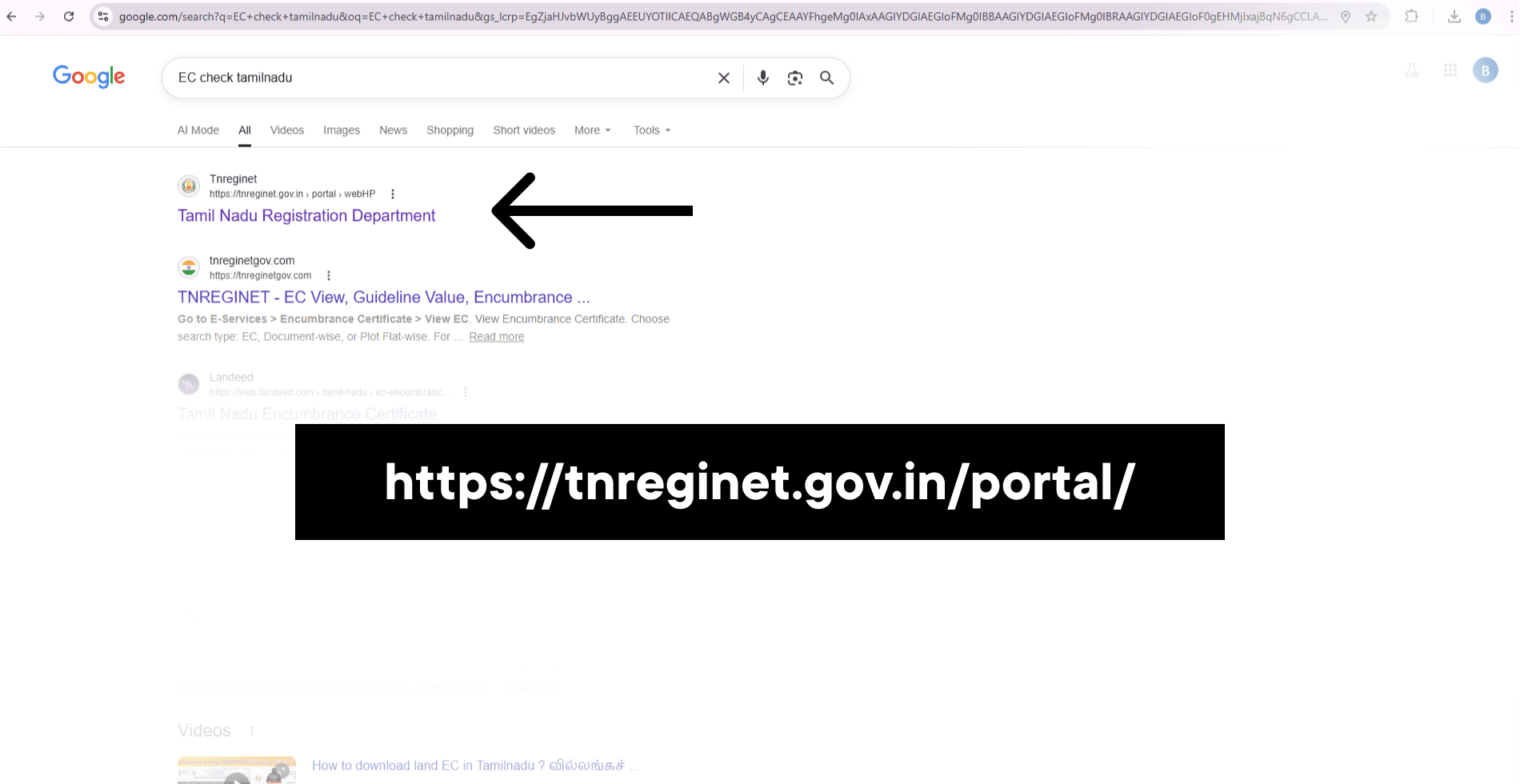
👉 https://tnreginet.gov.in/portal/
Click on Services → Encumbrance Certificate → View EC
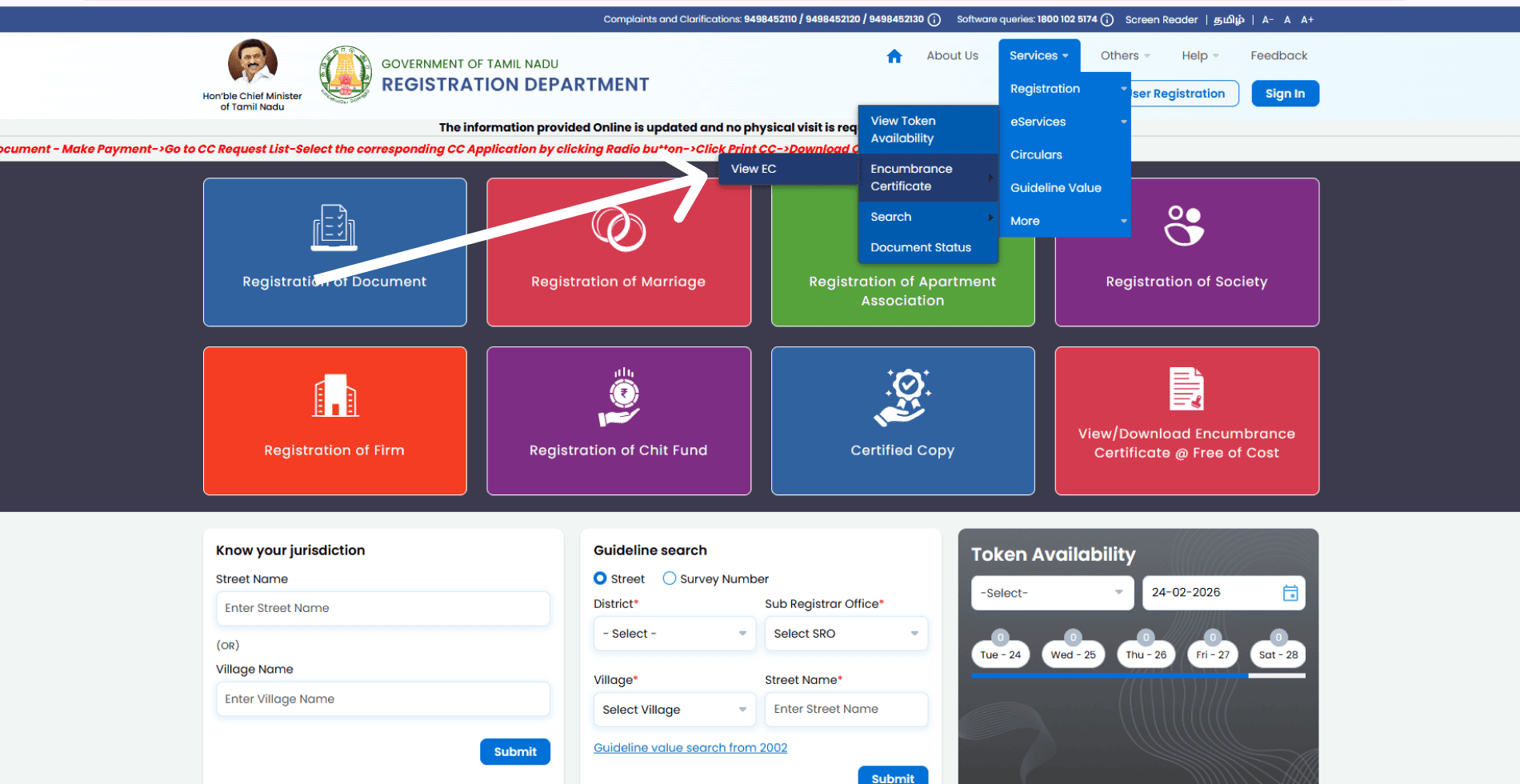
Step 2: Choose Search Method
You can search EC using:
Survey Number (Survey Wise)
Plot/Flat Wise
Document Number
Previous Document Number
Select Survey Wise for land properties.
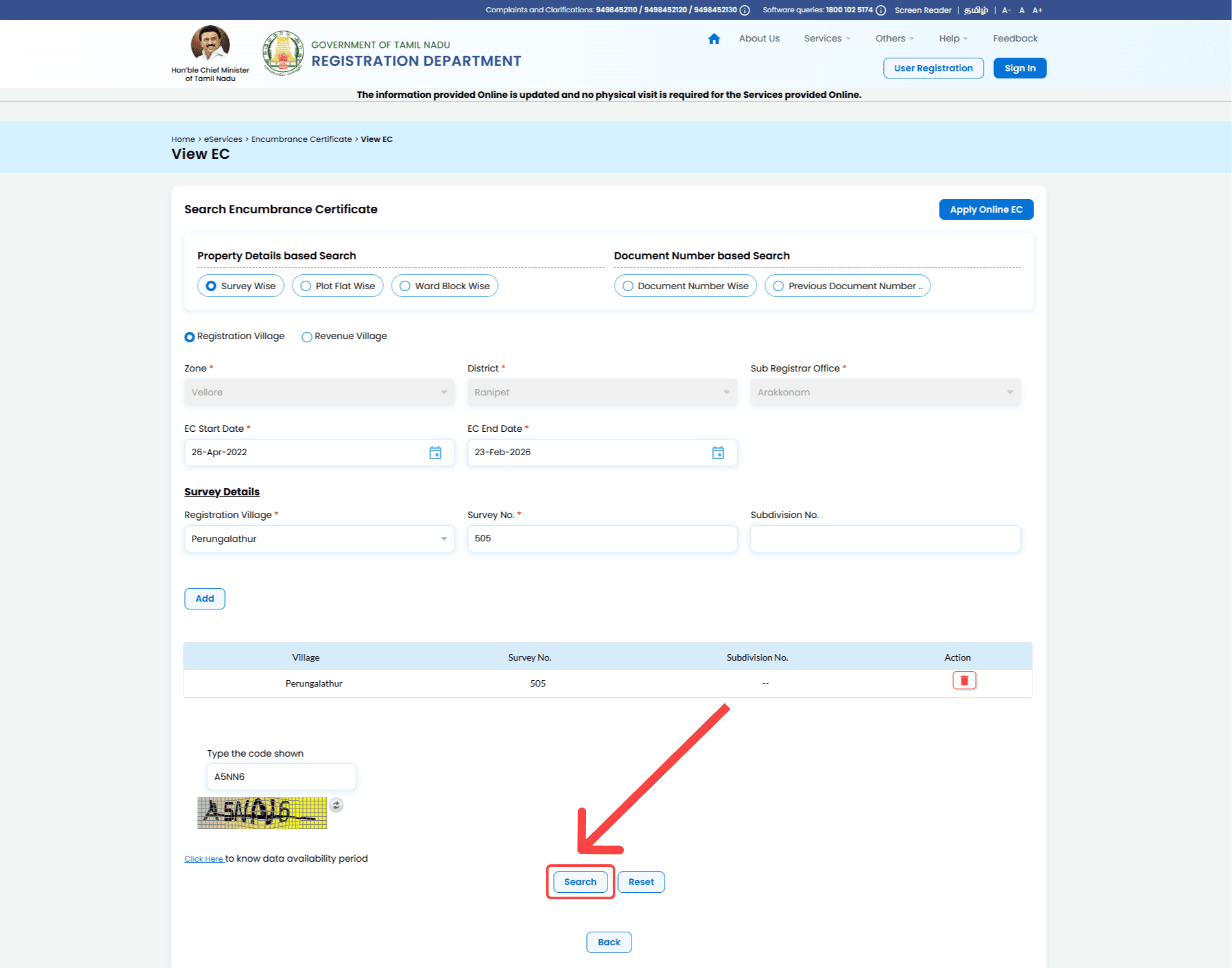
Step 3: Enter Property Details
Fill in the following:
Zone
District
Sub-Registrar Office
Registration Village
Survey Number
Subdivision Number (if applicable)
EC Start Date
EC End Date
Enter the captcha code and click Search.
Step 4: View EC Details
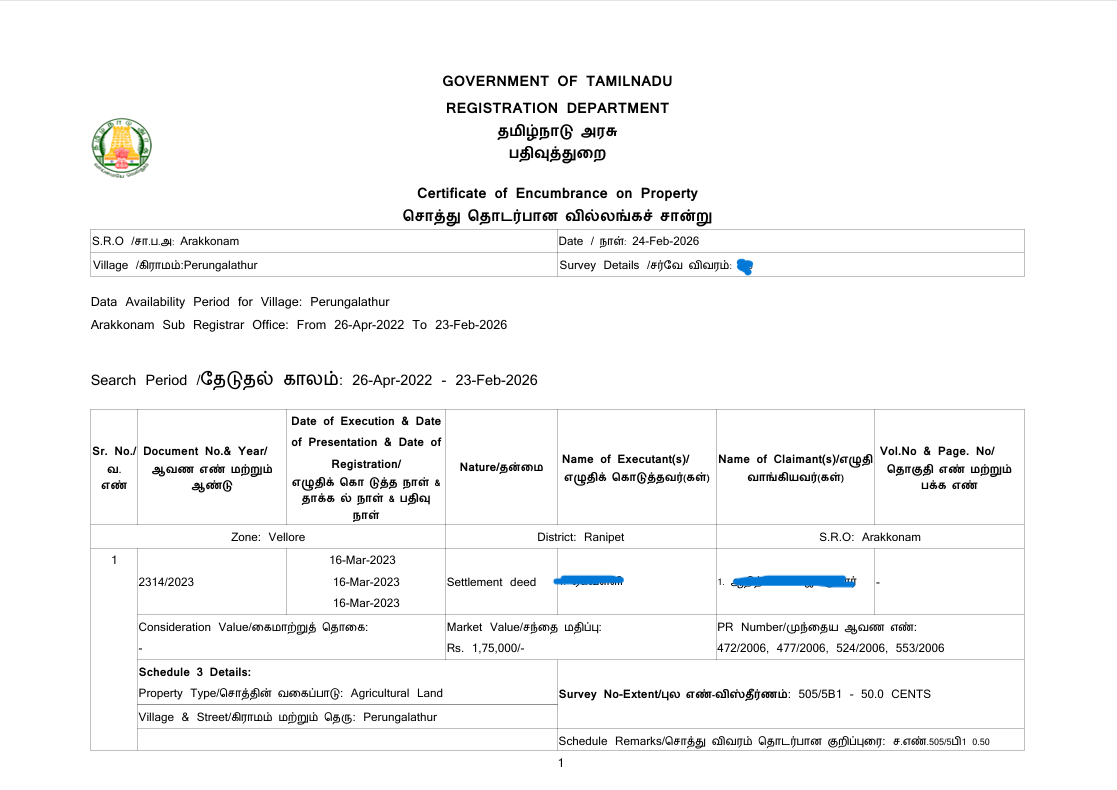
After submission, the system displays:
Document number
Registration date
Nature of document (Sale/Settlement/Gift)
Executant name (Seller)
Claimant name (Buyer)
Market value
Property details
If no records are found, it shows Nil Encumbrance.
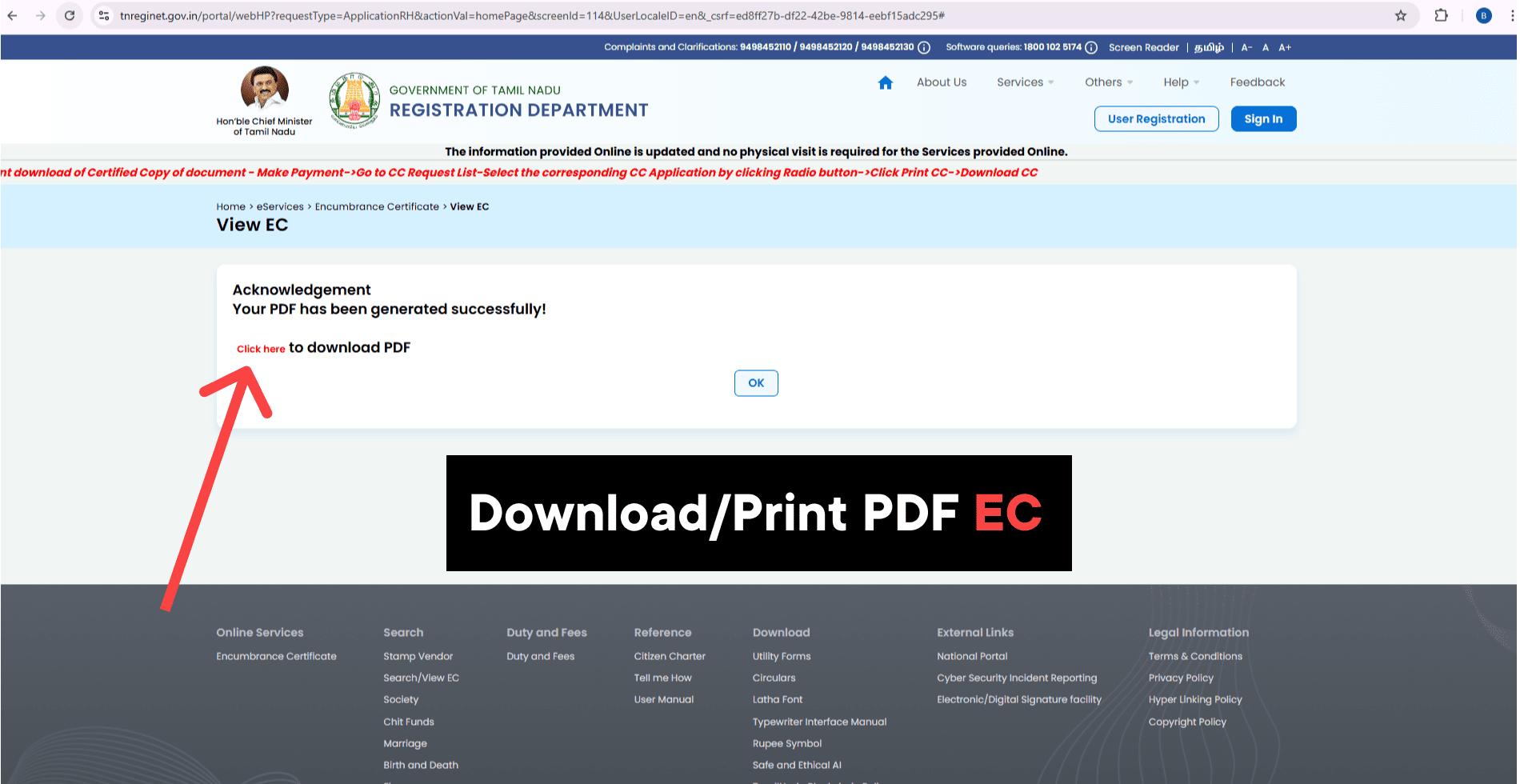
Step 5: Download EC PDF
Once generated:
✔ Click Download PDF
✔ Save the file
✔ Print if required
You can use CTRL + P to save as PDF.
How to Verify EC Status
To verify EC authenticity:
Check the QR Code on the downloaded EC
Verify digital signature
Confirm document number on portal
Cross-check Sub-Registrar Office details
This ensures the EC is genuine and not tampered.
Documents Required for EC Check
ou need:
Survey Number or Plot Number
Registration Village Name
Time period for search
Subdivision number (if applicable)
Types of Encumbrance Certificate
1️⃣ Form 15 EC
Shows complete property transaction history.
2️⃣ Form 16 EC
Issued when no transactions are found (Nil EC)
Important Things to Note
⚠ EC only reflects registered transactions
⚠ Unregistered agreements will not appear
⚠ Court cases may not always be reflected
⚠ Always verify Patta, A-Register, and FMB along with EC
Frequently Asked Questions (FAQ)
Yes, it is essential to verify ownership and liabilities.
Minimum 13 years recommended. For safer verification, check 30 years.
Yes, online EC with digital signature is legally valid.
It is generated instantly after search.
The seller must clear the loan and provide release deed before sale.